Getting started
Install the app, check Setup, and understand how a bundle is stored.
What a bundle is
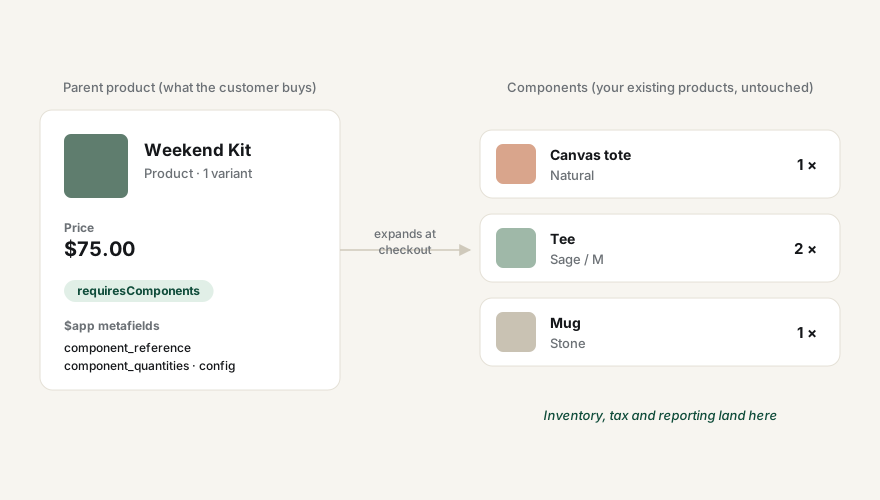
A bundle is an ordinary product in your catalog with extra information attached to one of its variants (the parent). The parent variant holds the bundle price, and Better Bundles records which component variants it contains. Nothing about your existing products changes.
When a customer buys the parent, Shopify expands it into its components at checkout, so fulfilment, inventory and reporting all see the real items — priced so the customer pays exactly the bundle price.
After installing
- Open the app and go to Setup. Both platform resources should read Registered. If one is missing, press Repair install.
- If you sell online, add the Better Bundles block to your product template — see Online Store.
- If you use Shopify POS, add the Bundles tile to the smart grid — see Point of Sale.
- Create your first bundle from a product page — see Create a bundle.
The app never changes prices or inventory on the products you pick as components. Removing a bundle, or uninstalling the app, leaves every product exactly as it was.